

Graphics for T-Shirt: Trendy Design Ideas to Boost Your Sales
Graphics For T-shirt
T-shirts have become more than just clothing—they are a canvas for self-expression, advertising, and even art. The right graphics for t-shirt design can make a shirt memorable, help brands stand out, or simply make someone smile. But creating or choosing the perfect t-shirt graphic is not as easy as it may seem. There are styles, printing techniques, color choices, and even psychological factors that influence what works and what doesn’t. Whether you want to make your own t-shirt designs or just understand what makes a graphic stand out, this guide will break down everything you need to know.
What Makes A T-shirt Graphic Work
A great t-shirt graphic captures attention, shares a message quickly, and fits the person wearing it. It’s a blend of visual appeal, clear communication, and practical design. While trends change, certain principles always matter.
- Clarity: The design should be easy to understand, even from a distance. Complicated graphics might get lost when printed on fabric.
- Contrast: Good contrast between the graphic and the shirt color helps the design pop.
- Originality: Unique or creative designs get noticed, especially in a crowded marketplace.
- Message: Many t-shirts share a message—funny, political, or inspirational. The graphic should make that message clear.
- Wearability: A design that looks good on a screen may not work on a real person. Consider different body shapes and clothing styles.
Types Of Graphics Used On T-shirts
There are many different styles of graphics used in t-shirt design. Each has its own appeal and purpose.
1. Typography-based Graphics
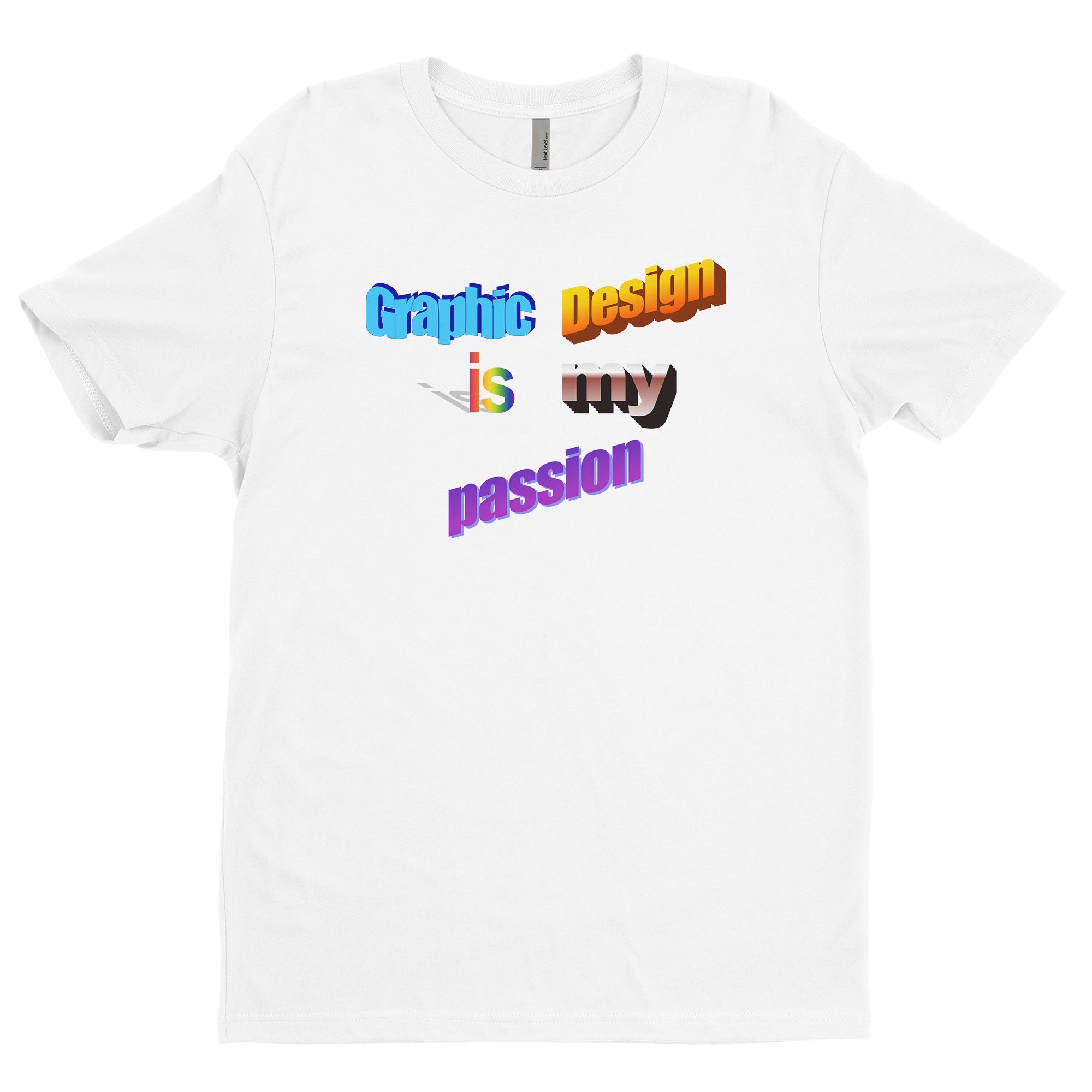
These designs focus on words rather than images. Typography t-shirts use creative fonts, layouts, and sometimes decorative elements to make a statement. These are popular for slogans, brand names, or inspirational quotes.
- Example: A shirt that says “Stay Positive” in big, bold, colorful letters.
- Tip: Use easy-to-read fonts and don’t overcrowd the shirt with too much text.
2. Illustration Graphics
Hand-drawn or digital illustrations bring art directly onto fabric. This style can be playful, serious, cartoon-like, or realistic.
- Example: A shirt with a detailed drawing of a mountain landscape.
- Tip: Make sure the detail level matches the print size, as tiny elements might blur.
3. Photographic Graphics
Some t-shirts use real photographs, either on their own or combined with other design elements. These graphics are often bold and eye-catching.
- Example: A black-and-white portrait or a colorful cityscape.
- Tip: Use high-resolution photos to avoid pixelation.
4. Logo And Brand Graphics
Many companies print their logos or brand icons on t-shirts for marketing, uniforms, or giveaways. Simplicity is key here.
- Example: A small logo on the chest or a large logo across the back.
- Tip: Make sure the logo fits the shirt size and is consistent with brand colors.
5. Abstract And Geometric Graphics
Abstract shapes, lines, and patterns create modern, eye-catching t-shirts. These designs are less about sending a message and more about creating visual interest.
- Example: A shirt with a repeating triangle pattern or a swirl of colors.
- Tip: Use color wisely so the design doesn’t become too busy.
6. Pop Culture And Meme Graphics
T-shirts are a great way to show love for movies, TV shows, video games, or internet memes. These graphics often use familiar characters or jokes.
- Example: A shirt with a funny line from a popular show.
- Tip: Make sure you have permission to use copyrighted images or phrases.
7. Minimalist Graphics
Less is often more. Minimalist designs use simple shapes, few colors, and clean lines. They’re popular for fashion brands and everyday wear.
- Example: A single line drawing or a small icon.
- Tip: Choose high-contrast colors for the best effect.
Choosing The Right Graphic For Your T-shirt
Selecting a graphic depends on your goal—personal use, business, event, or fashion. Here are some factors to help you decide:
- Audience: Who will wear the shirt? Age, gender, and interests matter.
- Purpose: Is it for a business, a special event, or casual wear?
- Shirt Color: Some graphics work best on light shirts, others on dark.
- Print Size and Placement: Full front, pocket, back, or sleeve?
- Budget: Some printing methods cost more for complex graphics or many colors.
Often, designers use mockups to preview how a graphic will look on an actual shirt before printing. This helps catch any design issues early.
Popular Printing Techniques For T-shirt Graphics
The way a graphic is printed changes its look, feel, and durability. Understanding printing techniques helps you choose what’s best for your design and budget.
Screen Printing
Screen printing is the most common method for t-shirts. It uses mesh screens to apply layers of ink on the fabric. It’s best for bold colors and simple designs.
Pros:
- Cost-effective for large orders
- Durable prints
- Vivid colors
Cons:
- Not great for detailed or multi-color designs in small batches
- Setup costs can be high
Direct-to-garment (dtg) Printing
DTG uses inkjet technology to print graphics directly onto the shirt. It’s like using a printer for paper, but on fabric.
Pros:
- Great for detailed and full-color designs
- No setup cost for small orders
Cons:
- Works best on 100% cotton
- Colors can fade faster than screen printing
Heat Transfer
This method uses special paper to transfer a printed image onto the shirt with heat and pressure. It’s popular for custom, one-off shirts.
Pros:
- Good for small orders and photos
- Easy to use at home
Cons:
- Not as durable as other methods
- Can feel stiff or plastic-like
Sublimation
Sublimation printing uses heat to turn dye into gas, which bonds with polyester fabric. It’s best for all-over prints and light fabrics.
Pros:
- Soft feel, no extra layer on fabric
- Long-lasting and vibrant colors
Cons:
- Only works on polyester or blends
- Not suitable for dark fabrics
Embroidery
Not technically printing, but embroidery stitches the graphic into the fabric. It’s used for logos and small designs.
Pros:
- Very durable
- High-quality look
Cons:
- Limited detail
- More expensive, especially for large or complex designs
Comparing T-shirt Printing Methods
To help you choose the right method for your t-shirt graphics, here is a quick comparison:
| Printing Method | Best For | Main Limitations | Durability |
|---|---|---|---|
| Screen Printing | Bold, simple designs; large orders | Not ideal for small runs or detailed images | High |
| DTG Printing | Complex, colorful graphics; small batches | Best on cotton; less durable than screen | Medium |
| Heat Transfer | Photo prints; custom shirts | Less durable; can feel stiff | Low-Medium |
| Sublimation | All-over prints; polyester shirts | Only works on certain fabrics | High |
| Embroidery | Logos; small designs | Not for large, detailed graphics | Very High |
Color And Fabric: How They Affect T-shirt Graphics
The colors you choose for your t-shirt graphic and the fabric of the shirt itself play a huge role in the final result.
Color Choices
- Contrast: High contrast between the graphic and shirt makes the design stand out.
- Color Psychology: Certain colors create different feelings (e.g., red for energy, blue for calm).
- Number of Colors: More colors can mean higher printing costs, especially with screen printing.
Fabric Types
- Cotton: Soft and comfortable; works well with most printing methods.
- Polyester: Best for sublimation; less breathable but durable.
- Blends: Mixes of cotton, polyester, and sometimes rayon; offer balance in feel and print quality.
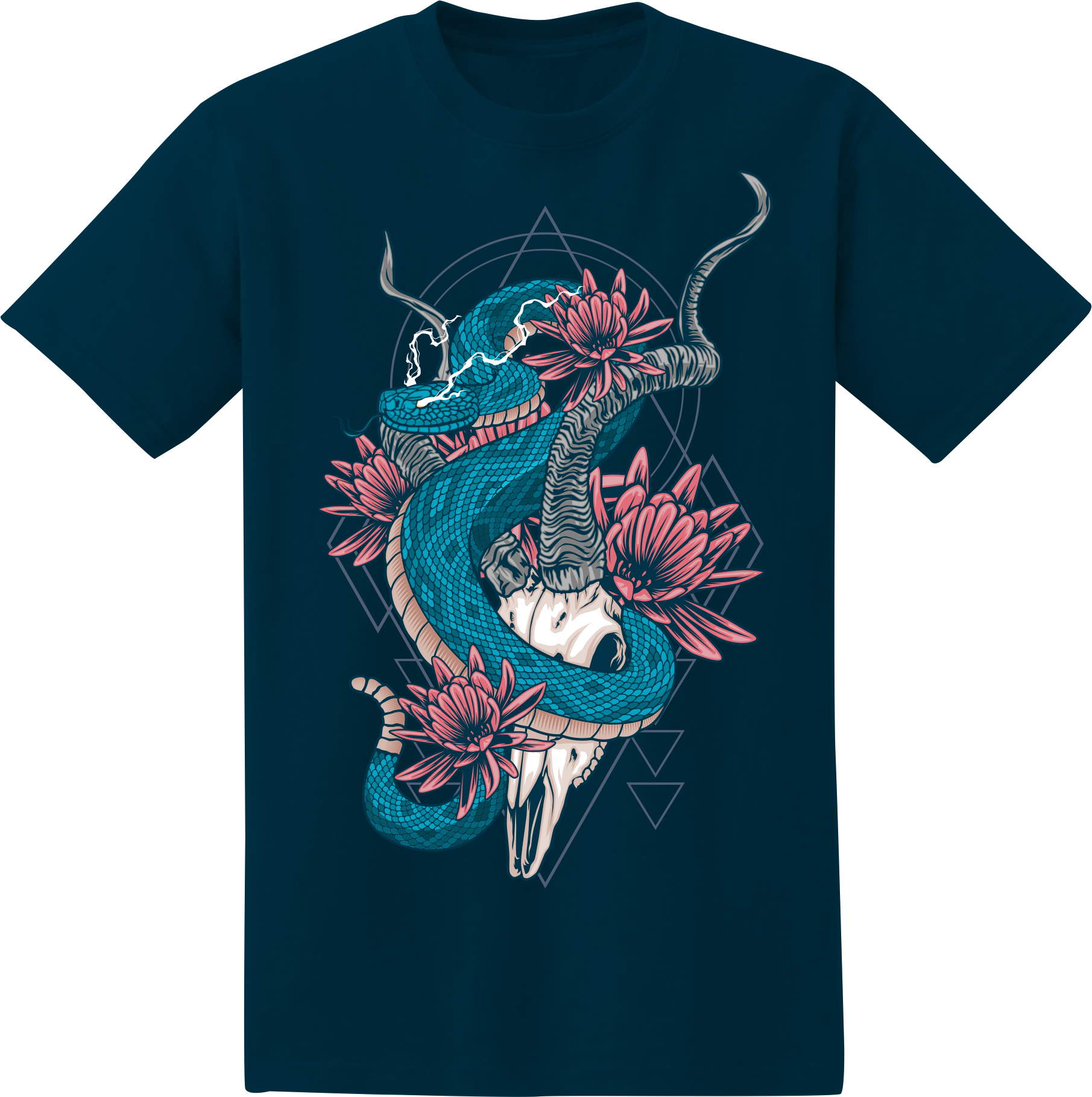
Some printing methods, like sublimation, only work on certain fabrics. DTG, for example, gives brighter results on 100% cotton.
Credit: graphics-pro.com
The Design Process: From Idea To Printed Shirt
Turning a concept into a finished t-shirt graphic involves several important steps. Even if you’re not a professional designer, understanding the process helps you avoid common mistakes.
Step 1: Brainstorming And Research
Start by thinking about the purpose of your t-shirt. Is it for a business, a club, an event, or personal use? Look for inspiration from social media, design websites, or even walking through a busy street.
- Make a list of keywords or themes you want to include.
- Research current trends, but try to add your own twist.
Step 2: Sketching Ideas
You don’t need to be an artist. Simple sketches help you plan layout, text, and images. Try several options before choosing your favorite.
- Focus on balance and readability.
- Play with different placements (center, pocket, full back).
Step 3: Digital Design
Use design software like Adobe Illustrator, Photoshop, or free tools like Canva. Vector graphics are best—they scale without losing quality.
- Keep your design in high resolution (300 DPI minimum).
- Use layers to separate colors and elements.
Step 4: Prepare For Printing
Every printing method has its own requirements. Check with your printer for file types and color settings (like CMYK vs RGB).
- Remove backgrounds if they’re not part of the design.
- Outline or embed fonts to prevent missing text.
Step 5: Mockup
Place your design on a t-shirt mockup (a photo or digital template). This helps you see how it looks in real life and adjust if needed.
Step 6: Test Print
If possible, print one sample before making a large order. This lets you check colors, placement, and overall quality.
Non-obvious insight: Always check your graphic at the actual print size. Small details might look fine on your computer but disappear when printed.
Common Mistakes When Creating T-shirt Graphics
Many beginners make the same errors. Knowing these in advance can save money and disappointment.
- Too much detail: Fine lines and small text can vanish when printed.
- Poor color contrast: Low-contrast designs become hard to see.
- Ignoring shirt color: A design that looks good on white may not work on black.
- Wrong file type: Using low-resolution or the wrong color mode can ruin a print.
- Copyright issues: Using images or phrases you don’t own can cause legal trouble.
Non-obvious insight: Don’t forget about the “feel” of the print. Some methods create thick, heavy areas that can be uncomfortable, especially in hot weather.
Credit: www.tb4a.com
Trends In T-shirt Graphics
T-shirt design trends change often, but some patterns stand out. Following trends can help your shirts sell, but timeless designs last longer.
- Retro and vintage: Old-school fonts and faded colors are popular.
- Hand-drawn illustrations: Personal, imperfect lines feel more authentic.
- Bold slogans: Short, powerful phrases get attention.
- Nature themes: Plants, animals, and landscapes are always in style.
- All-over prints: Full-shirt graphics using sublimation are eye-catching.
However, don’t rely only on trends. Adding personal or local touches can make your design unique.
T-shirt Graphics For Different Purposes
The right graphic depends on the shirt’s purpose. Here’s how to approach some common uses:
Fashion And Streetwear
Fashion t-shirts often use minimalist graphics, unique typography, or creative illustrations. Placement matters—a small chest logo can be more stylish than a large front print.
Promotional And Business Shirts
For events, giveaways, or team uniforms, clear branding is key. Use your logo and company colors. The design should be easy to read from a distance.
Fundraisers And Causes
T-shirts for causes need simple, bold graphics and a clear message. Use contrasting colors and short, powerful words.
Sports Teams And Clubs
Team shirts need to stand out and last through many washes. Embroidery or screen printing is common. Include the team logo, name, and maybe a number.
Personal And Custom Shirts
For birthdays, weddings, or gifts, personal touches matter. Inside jokes, names, and dates make the shirt special.
How To Choose A Designer Or Design Service
If you’re not designing the graphic yourself, finding the right designer or service is important.
- Portfolio: Look for designers with t-shirt experience.
- Communication: Make sure they understand your needs.
- Revisions: Check how many edits are included in the price.
- File delivery: You should get high-resolution, print-ready files.
Some online services offer design tools and templates. These are good for simple graphics, but for something unique, a professional designer is best.
Sizing And Placement Of T-shirt Graphics
Where you place the graphic and how big it is changes the look of the shirt. Here are some common options:
| Placement | Common Use | Best For |
|---|---|---|
| Full Front | Across chest | Main designs, slogans, artwork |
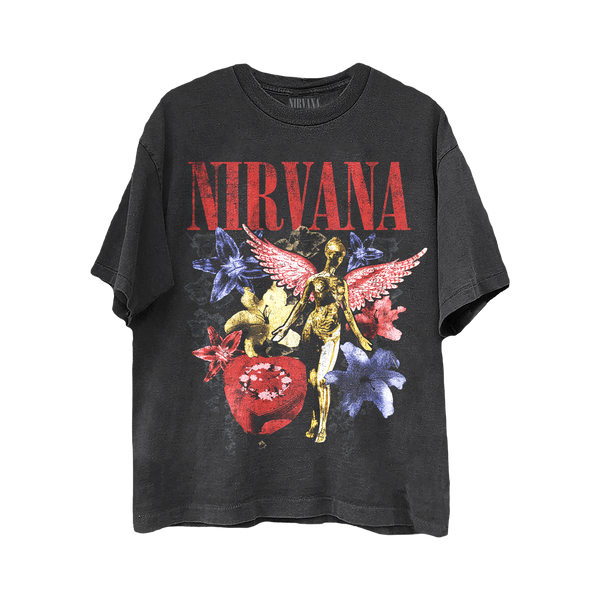
| Pocket Area | Left chest | Logos, small icons |
| Back | Upper or full back | Team names, large graphics |
| Sleeve | Short sleeve edge | Small logos, flags |
| All Over | Entire shirt | Sublimation, patterns |
Tip: Always double-check the size of your graphic in inches or centimeters, not just pixels. Printing shops often have standard size guides.
Credit: shop.nirvana.com
Legal And Copyright Considerations
Many people use images or phrases they find online, but this can lead to legal trouble. Always use graphics you own, have created, or have permission to use.
- Stock graphics: Only use licensed or purchased designs.
- Fair use: Parodies or commentary may be allowed, but laws vary.
- Trademarks: Avoid using brand logos or famous names without permission.
Non-obvious insight: Even fonts can be protected by copyright. Make sure your font license allows commercial use if you’re selling shirts.
Marketing And Selling T-shirts With Unique Graphics
If you plan to sell your t-shirts, a standout graphic can make all the difference. But you also need to think about marketing, pricing, and production.
- Quality photos: Use mockups or real photos to show off your design.
- E-commerce platforms: Sites like Shopify, Etsy, and Amazon let you reach more buyers.
- Social media: Share your graphics on Instagram, TikTok, and Facebook to build interest.
- Pricing: Factor in printing costs, shipping, and profit margin.
Tip: Limited edition runs or collaborations with artists can create buzz and increase demand.
For those interested in learning more about t-shirt graphics and industry standards, Printful's blog offers detailed resources.
Frequently Asked Questions
What Is The Best File Format For T-shirt Graphics?
The best file format is usually vector (such as AI, EPS, or SVG), as it can be scaled to any size without losing quality. For photos or raster images, use high-resolution PNG or PSD files, with a transparent background if possible.
How Many Colors Should A T-shirt Graphic Have?
For screen printing, fewer colors are cheaper and easier to print. Two to four colors are common. For DTG or sublimation, you can use as many colors as you like, but remember that very complex designs can look messy.
Can I Use Any Image I Find Online For My T-shirt?
No. Most images online are protected by copyright. Only use images you have created, purchased with a license, or that are clearly marked as free for commercial use.
How Do I Make Sure My Design Will Look Good On A T-shirt?
Always view your design at actual size and use mockups to see how it looks on a shirt. Print a test version if possible. Check for readability, color contrast, and placement.
What Is The Most Durable T-shirt Printing Method?
Embroidery and high-quality screen printing are the most durable. They hold up well to washing and wear. DTG and heat transfer can fade or crack faster over time.
Graphics for t-shirts blend art, fashion, and function. The right graphic turns a simple shirt into something people want to wear again and again. Whether you’re designing for business, a group, or just yourself, knowing the process from idea to finished shirt helps you avoid mistakes and achieve better results.
With creative ideas and careful planning, your next t-shirt graphic could be the one everyone notices.
