

How to Get Daily Affirmations on Apple Watch: Easy Setup Guide
If you want to bring daily affirmations to your Apple Watch, you’re not alone. Many people use affirmations to boost confidence, reduce stress, and start their day on a positive note. But how can you receive these powerful messages right on your wrist? This guide will show you simple ways to get daily affirmations on your Apple Watch, with step-by-step instructions, practical tips, and non-obvious advice that most beginners miss.
You’ll learn about apps, widgets, notification setups, and ways to customize affirmations for your own needs. Whether you want gentle reminders or motivational quotes, you’ll find solutions that fit your routine. Along the way, you’ll also discover how to avoid common mistakes, compare different methods, and optimize your experience.
Let’s unlock the power of positive thinking, one wrist tap at a time.
Why Use Daily Affirmations On Apple Watch?
The Apple Watch is more than a fitness tracker. It’s a powerful tool for managing your mental health and emotional well-being. Receiving daily affirmations can help you:
- Start your day with motivation: A positive phrase can set the tone for your morning.
- Reduce stress and anxiety: Reminders of your strengths help you stay calm.
- Build self-confidence: Affirmations reinforce your belief in yourself.
- Create healthy habits: Regular messages encourage consistent positive thinking.
Research shows that positive self-talk can improve mood and performance. According to psychology studies, people who use affirmations may experience lower stress and better focus. The Apple Watch makes it easy to get these messages anytime, anywhere.
Ways To Get Daily Affirmations On Apple Watch
There are several methods to receive affirmations on your Apple Watch. Let’s compare the most popular options and help you choose the right method for your lifestyle.
Using Dedicated Affirmation Apps
Many apps are designed specifically for daily affirmations. These apps often send notifications or display affirmations on your watch face.
| App Name | Features | Apple Watch Support |
|---|---|---|
| ThinkUp | Custom affirmations, voice recording, reminders | Yes |
| I Am | Daily quotes, notification scheduling, themes | Yes |
| Motivation | Curated affirmations, categories, watch notifications | Yes |
| My Affirmations | Personalized lists, daily reminders, simple UI | Yes |
How To Set Up An Affirmation App
- Open the App Store on your iPhone.
- Search for “affirmation” or specific app names (e.g., ThinkUp, I Am).
- Download the app and install it on your iPhone.
- Open the app and follow setup instructions to select or create affirmations.
- Enable Apple Watch support if available (often automatic).
- Set daily notification times or frequency.
- Check your Apple Watch for notifications or use the app’s watch interface.
Tip: Some apps allow you to record your own voice for affirmations. Hearing yourself can make the message more powerful.
Using Reminders Or Calendar Notifications
If you prefer not to use a special app, you can use Apple’s built-in Reminders or Calendar.
Steps To Set Up Daily Affirmation Reminders
- Open the Reminders app on your iPhone.
- Tap “New Reminder” and enter your affirmation (e.g., “I am strong and capable”).
- Tap the calendar icon and set it to repeat daily.
- The reminder will appear on your Apple Watch at the scheduled time.
Using Calendar For Affirmations
- Open the Calendar app.
- Create a new event with your affirmation in the title or notes.
- Set the event to repeat every day.
- Enable notifications.
Insight: Reminders appear as notifications, while Calendar events can show as alerts or banners. Choose the method that fits your routine.
Using Shortcuts For Custom Affirmation Delivery
Apple’s Shortcuts app lets you automate tasks. You can create a custom shortcut to deliver affirmations every day.
Creating A Shortcut For Affirmations
- Open Shortcuts on your iPhone.
- Tap “+” to create a new shortcut.
- Add the “Show Notification” action.
- Enter your affirmation message.
- Set automation to run daily at a chosen time.
- Notifications will appear on your Apple Watch.
Advanced Tip: Use Shortcuts to randomize messages. Add multiple affirmations, and set the shortcut to pick one at random.
Using Complications For Affirmations
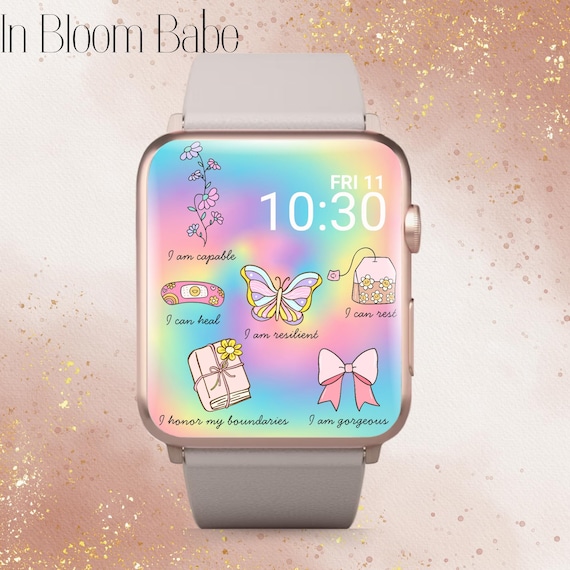
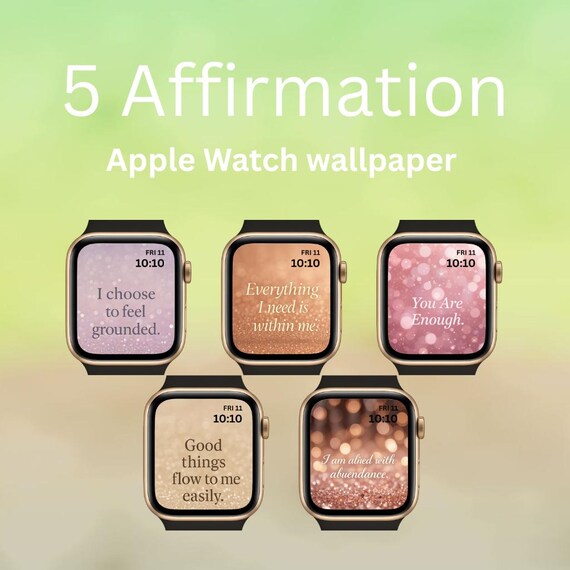
Complications are mini widgets that appear on the watch face. Some apps offer complications that show affirmations.
Setting Up An Affirmation Complication
- Open the Watch app on your iPhone.
- Tap “My Watch” and choose your current watch face.
- Tap “Complications” and select a slot.
- Choose an affirmation app that supports complications.
- The affirmation will appear directly on your watch face.
Non-obvious insight: Complications update in real-time, so you can see a new affirmation each time you check the time.
Using Siri For Affirmations
Siri can deliver affirmations if you ask. You can also set up Siri Shortcuts for daily affirmation delivery.
Setting Up Siri Affirmations
- Open Shortcuts and create a custom Siri phrase.
- Add the “Speak Text” action with your affirmation.
- Set the shortcut to run daily or when you say a specific phrase.
- Use Siri on your Apple Watch to trigger the affirmation.
Example: Say “Hey Siri, motivate me,” and Siri will speak your daily affirmation.
Choosing The Best Method For You
Not every method fits every user. Here’s a comparison of different ways to get daily affirmations:
| Method | Ease of Use | Customization | Notification Type | Best For |
|---|---|---|---|---|
| Affirmation App | Easy | High | Push Notification/Complication | Frequent reminders |
| Reminders App | Very easy | Medium | Alert Notification | Simple messages |
| Shortcuts | Moderate | High | Custom Notification | Advanced users |
| Complications | Easy | Medium | Watch Face Widget | Visual affirmation |
| Siri | Easy | Low | Voice Response | Hands-free |
Tip: Try different methods for a week to see which fits your lifestyle. Some people like visual reminders, while others prefer spoken messages.
Setting Up Affirmation Apps: Detailed Walkthrough
Let’s look deeper into setting up a popular affirmation app, “I Am,” for daily notifications on Apple Watch.
Download And Install
- Search for “I Am” in the App Store.
- Download and install on your iPhone.
- Open the app and allow notifications.
Personalizing Your Affirmations
- Browse through categories (Confidence, Gratitude, Success, etc. ).
- Tap the heart icon to save your favorites.
- Create custom affirmations for your own needs.
Scheduling Notifications
- Go to Settings in the app.
- Set the number of affirmations per day (choose between 1 and 10).
- Select the time for delivery (morning, noon, evening).
- Enable Apple Watch notifications.
Apple Watch Integration
- Open the Watch app on your iPhone.
- Find “I Am” under “Installed on Apple Watch.”
- Make sure notifications are enabled.
- Optionally, set up the “I Am” complication for your watch face.
Practical advice: If you miss a notification, swipe down on your watch face to view recent messages.
Customizing Your Daily Affirmations
Personalization makes affirmations more effective. Here’s how to make them fit your goals:
Write Your Own Affirmations
- Use simple, positive language.
- Focus on present tense (“I am,” “I can,” “I have”).
- Make it specific to your needs (“I am confident in my work”).
Record Your Voice
Some apps let you record yourself saying affirmations. Listening to your own voice can make the message feel more real.
Choose Categories
Apps offer categories like self-esteem, health, or relationships. Pick what matters most to you.
Adjust Frequency
Don’t overwhelm yourself. Choose 2-3 affirmations per day to start. Increase as you feel comfortable.
Non-obvious tip: Change your affirmations every few weeks. Fresh messages prevent routine and keep motivation high.
Optimizing Notification Settings
Getting the right notifications is key. Too many can cause notification fatigue. Too few and you might forget.
How To Manage Notifications
- In the Watch app, go to “Notifications.”
- Choose which apps send alerts to your watch.
- Set “Deliver Quietly” for less intrusive notifications.
- Use “Do Not Disturb” or “Focus Mode” to pause notifications during meetings or workouts.
Timing Matters
- Schedule affirmations for times you need motivation (morning, before work, after lunch).
- Avoid late-night notifications that disturb sleep.
Insight: Pair affirmations with another habit, like drinking water or stretching, for stronger routines.
Using Affirmations With Mindfulness Apps
Some mindfulness and meditation apps include daily affirmations. This combines positive thinking with relaxation.
Popular apps include:
- Calm: Offers daily quotes and affirmations.
- Headspace: Includes meditation sessions with affirmations.
- Breathe: Apple’s built-in app, can be paired with reminders.
Tip: Use affirmations before or after meditation for a balanced mental health routine.
Troubleshooting Common Problems
Getting affirmations on your Apple Watch is usually easy, but problems can happen. Here’s how to solve them.
Notifications Not Appearing
- Check that notifications are enabled for the app on both iPhone and Apple Watch.
- Make sure your watch is paired correctly.
- Restart your devices if needed.
Affirmation App Not Syncing
- Open the Watch app and check for updates.
- Reinstall the app if syncing fails.
- Contact the app’s support if problems persist.
Custom Affirmations Not Showing
- Confirm your custom messages are saved.
- Check that you selected the right category or time for delivery.
- Try a different app if features are limited.
Advanced insight: Some apps delay syncing if your watch battery is low. Charge your watch for best performance.
Credit: www.etsy.com
Comparing Free Vs Paid Affirmation Apps
Some affirmation apps are free, while others charge for premium features. Here’s a comparison:
| Feature | Free Apps | Paid Apps |
|---|---|---|
| Basic Affirmations | Yes | Yes |
| Custom Affirmations | Limited | Unlimited |
| Voice Recording | No | Yes |
| Complication Support | Sometimes | Always |
| Themes & Categories | Few | Many |
| Ad-Free Experience | No | Yes |
Tip: Start with a free app to test features. Upgrade if you want more customization or an ad-free experience.
Creating Affirmation Routines
Affirmations work best when part of your daily routine. Here are ways to build habits:
- Set affirmations for morning routines. Start your day with a positive thought.
- Use affirmations before important tasks (meetings, presentations).
- Pair affirmations with exercise or meditation.
- Review your affirmations at the end of the day for reflection.
Insight: Consistency is more important than quantity. A single daily message can be more powerful than ten scattered ones.
Credit: www.reddit.com
Safety And Privacy Concerns
Affirmation apps sometimes ask for personal information. Here’s how to protect your privacy.
- Only download apps from the official App Store.
- Check app permissions. Avoid giving access to contacts or location unless necessary.
- Read privacy policies before recording your voice or entering sensitive affirmations.
Non-obvious tip: If you use health or therapy-related affirmations, choose apps with strong privacy protections.
Examples Of Effective Affirmations
If you’re new to affirmations, here are some examples:
- I am confident and prepared for today.
- I am worthy of love and respect.
- I am focused and ready to learn.
- I can overcome challenges.
- I am grateful for my strengths.
Tip: Personalize these messages for your own goals.
Non-obvious Insights Most Beginners Miss
- Randomization boosts engagement: If your app allows random affirmations, use it. Surprises keep your mind alert.
- Pair with physical actions: Read or listen to your affirmation while taking a deep breath or stretching. This builds stronger connections.
- Visual cues matter: Complications on the watch face act as passive reminders, even if you don’t tap them.
Real-life Stories: Apple Watch Affirmations In Action
Many users share how affirmations on their Apple Watch changed their routine:
- A student uses reminders before exams for confidence.
- A nurse schedules affirmations during breaks to reduce stress.
- A runner pairs affirmations with workout tracking for motivation.
Insight: Affirmations adapt to any lifestyle. The Apple Watch makes delivery seamless.
Credit: www.etsy.com
Advanced Customization: Using Automation Apps
For more control, use automation apps like Shortcuts and IFTTT (If This Then That). You can create complex routines:
- Change affirmations based on location (work, home).
- Trigger messages after completing a workout.
- Send affirmations when you reach a goal (steps, calories).
Example: Use Shortcuts to send “I am proud of my progress” after hitting your daily step goal.
The Science Behind Affirmations
Studies show that self-affirmation activates brain regions related to reward and positive emotion. Regular exposure can improve resilience, focus, and optimism. Affirmations are not magic; they work through repetition and belief.
Data point: According to a study published by the American Psychological Association, daily affirmations reduce stress markers and improve self-image.
If you want to learn more about the science, visit Wikipedia for detailed explanations.
Common Mistakes When Setting Up Affirmations
Avoid these pitfalls for best results:
- Too many notifications: Causes annoyance and reduces impact.
- Generic messages: Lack personal meaning and may feel empty.
- Ignoring timing: Affirmations sent during busy times may be missed.
- Not updating messages: Old affirmations lose power over time.
- Poor app privacy: Using unreliable apps can risk your data.
Practical advice: Review your setup monthly. Adjust frequency, timing, and messages for maximum benefit.
Comparing Affirmation Delivery Vs Traditional Methods
How does getting affirmations on your Apple Watch compare to other methods?
| Method | Accessibility | Interactivity | Personalization | Reminders |
|---|---|---|---|---|
| Apple Watch | High | Easy | Customizable | Automated |
| Phone Apps | Medium | Easy | Customizable | Automated |
| Sticky Notes | Low | None | Manual | Manual |
| Mirror Affirmations | Low | None | Manual | Manual |
Insight: The Apple Watch makes affirmations accessible without effort. You don’t need to remember or search for your message.
Building Long-term Affirmation Habits
To make affirmations a lasting habit:
- Change your messages regularly to match your goals.
- Reflect on your progress every week.
- Share affirmations with friends or family.
- Use data tracking to monitor mood or stress before and after using affirmations.
Tip: Link affirmations to other healthy habits (exercise, healthy eating, meditation).
Frequently Asked Questions
How Can I Get Daily Affirmations On My Apple Watch For Free?
You can use free apps like “I Am” or “Motivation” from the App Store. Also, use built-in Reminders or Shortcuts for custom messages without extra cost. Start with simple setups and explore advanced options if needed.
Can I Customize The Affirmations I Receive?
Yes. Most apps let you write your own affirmations or choose categories. Shortcuts allow full customization, including randomization. Paid apps often offer more options, but free apps cover basic needs.
Why Aren’t My Affirmation Notifications Appearing On My Apple Watch?
Check that notifications are enabled for the app in both iPhone and Watch settings. Restart your devices if needed. Ensure your watch is paired and within Bluetooth range. Update apps for best performance.
Are Daily Affirmations Effective For Mental Health?
Research supports the use of affirmations for reducing stress and improving mood. Effectiveness depends on consistency and personalization. Choose affirmations that matter to you, and use them as part of a balanced routine.
What’s The Difference Between Complications And Notifications For Affirmations?
Complications are small widgets on the watch face showing affirmations visually. Notifications appear as alerts or banners, delivering affirmations at set times. Both have benefits; try each to see which fits your routine.
Receiving daily affirmations on your Apple Watch can transform your mindset, boost motivation, and support emotional health. With many methods and customization options, you can create a routine that fits your life. Start small, personalize your messages, and make affirmations a lasting habit. The power of positive thinking is now just a tap away.
